|
|
![]() |
Loading
|
![]() |
Nelnet | Apply OnLine | WebAdvisor | Moodle | Student Email | GroupWise | The Flyer | BCC Calendar |
| BLADEN COMMUNITY COLLEGE |
| DISTANCE COURSES - FREQUENTLY ASKED QUESTIONS |
- How does a student register for distance classes?
- What does a student do after registering for an Online course?
- Are there any required on-campus meetings for this Internet class?
- What equipment must a student have to take a distance class?
- What level of computer/Internet knowledge must a student have?
- How does a student purchase textbooks?
- Is the student required to have a computer at home to take distance classes?
- Will students receive full credit for an Internet (distance) class?
- How does a student contact their instructors for distance classes?
- How does a student access Moodle?
- What is the student's username and password to log into Moodle?
- The student has emailed you as an instructor from their personal/home email account. Do you open the email and respond?
- How does a student log into their BCC email account?
- The student registered for a course that should be listed in Moodle (a teleweb, online or some hybrid courses). Why does that course not show up when they log into Moodle?
- What type of word processing software does the student need to have to email their assignments to BCC instructors?
- Who do you contact if the instructor or the student cannot gain access to their courses through Moodle?
- What is a Teleweb course?
- What is a Hybrid Course?
- What is an Online Course?
- What is an Interactive - TV course?
| 1. How does a student register for distance classes? |
|
While BCC does not have true online registration, accommodations can be made for handling distance students' registration by phone or by email. The college will have true distance registration when its conversion to Datatel is complete. If a student resides outside the BCC service area, Bladen and the five counties surrounding it, then that student should contact the Distance Office for help in getting registered for classes. You can email Ann Russell, Dean of Distance Learning at arussell@bladencc.edu for help in registering. |
| 2. What does a student do after registering for an Online course? |
|
After registering, students should attend distance orientation, meet with their instructor to receive information about the course, attend a Moodle and BCC student email training session, purchase their books and begin their course. Purchasing books and getting an ID and a library card are all part of being a student regardless of the delivery method of a class. |
| 3. Are there any required on-campus meetings for this Internet class? |
|
Distance Orientation is mandatory for all students taking distance classes of any kind. If a student cannot attend the school wide orientation, then that student should make contact with his/her instructors within three days of the date of distance orientation. |
| 4. What equipment must a student have to take a distance class? | |||||||||||||||||||||
|
You must have a computer, an Internet service provider, an e-mail account, and software that may be required by your instructor.
Recommended SoftwareThe following software should be installed for full functionality within the Moodle site: Sun Java Runtime Environment (JRE). JRE v.1.4.2.x, JRE 1.5.x, JRE 1.6.x (recommended) are supported . SeeWindows - Installing Sun Java. |
| 5. What level of computer/Internet knowledge must a student have? |
|
Students who are taking classes with Internet components need a basic knowledge of word processing, email including file attachments, and of navigating in an online environment. If a student has not taken CIS 113- Computer Basics, or CIS 110 Introduction to Computers, or has not acquired computer skills in another setting, the challenges of online learning might become a barrier to student success. |
| 6. How does a student purchase textbooks? |
|
Distance students usually purchase textbooks from the BCC bookstore. If a student is truly distant (out of the six county service area), the student can contact the BCC bookstore by telephone or email and order books. Payment must be made by credit card and a shipping and handling fee is charged. |
| 7. Is the student required to have a computer at home to take distance classes? |
|
The student must have a computer, and Internet service provider and any software that may be required by the instructor. It is highly recommended that the student also have a word processing program, preferably Microsoft Word as well. Open Office is a free open source suite of applications which contains a word processor. |
| 8. Will students receive full credit for an Internet (distance) class? |
|
Students in online classes receive the same credit for successful completion of the course work as students in classes in any other delivery format. |
| 9. How does a student contact their instructors for distance classes? |
|
Email is the preferred method of instructor contact for students in distance classes. Instructors adhere to the BCC policy of replying to student emails within 48 hours, thus making email the most reliable means of contact. Of course, students are free to make appointments for face-to-face meetings, or to telephone instructors in their offices. |
| 10. How does a student access Moodle? |
|
Students can access Moodle from Bladen Community College's website (www.bladencc.edu). You will find a label for Moodle at the top right of the screen. Click on Moodle and you will be brought to the Moodle login screen. |
| 11. What is the student's username and password to log into Moodle? |
|
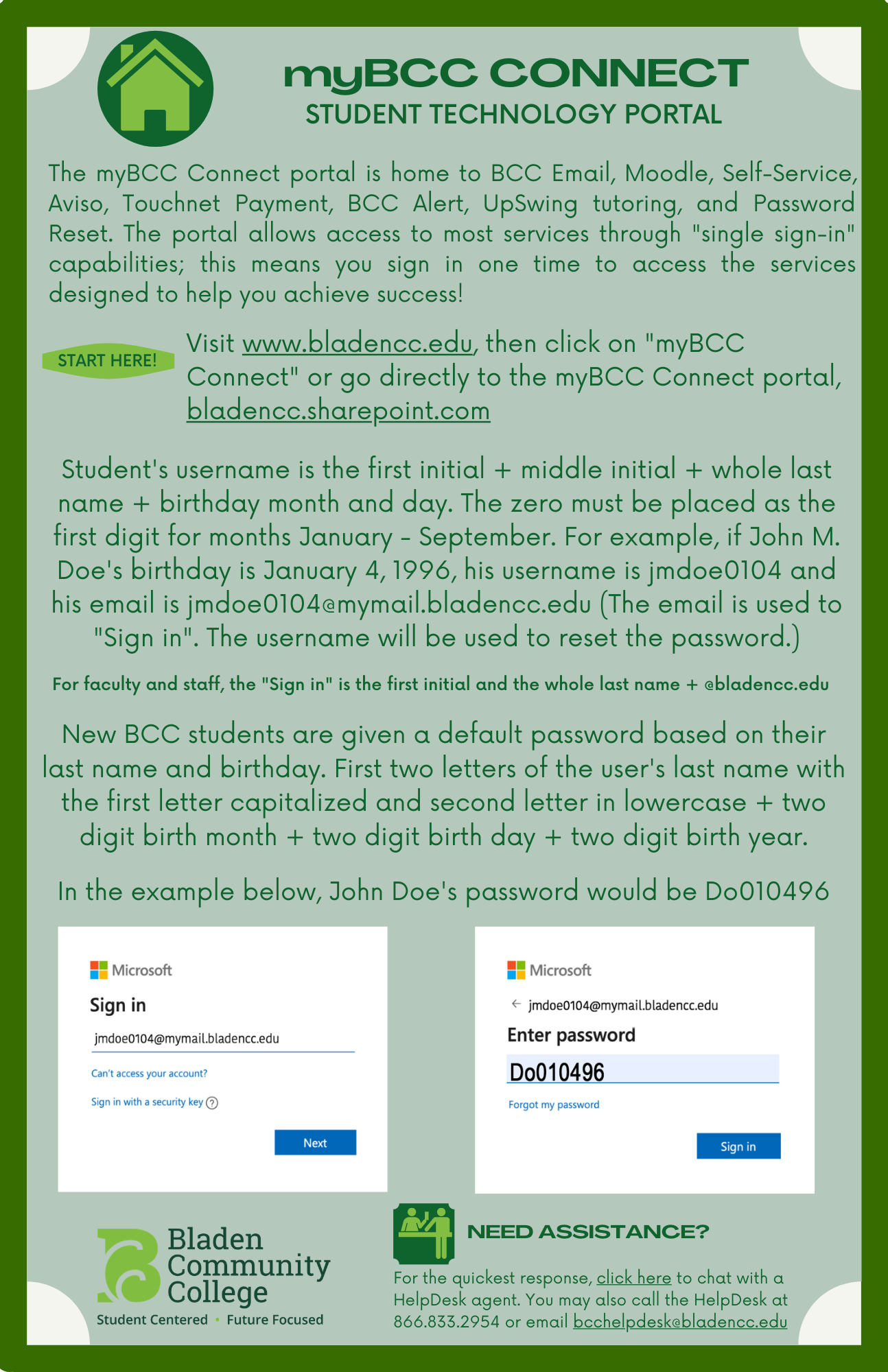
USERNAME: (first initial) + (middle initial) + (whole last name) + (birthday month and day)
Example: John Q. Student with an ID number of 0123456 and whose birthday is January 4th, has the following username and password:
|
| 12. The student has emailed you as an instructor from their personal/home email account. Do you open the email and respond? |
|
No. Do not open emails from students external email addresses. If you accidentally open the email, you can respond but ONLY to inform the student that all emails to instructors, the Distance Learning staff and the Moodle Administrator must be done from their BCC email account. Emails from other accounts will not be opened. All distance learning students have a BCC email account created for them. |
| 13. How does a student log into their BCC email account? |
|
On the BCC home page (www.bladencc.edu)
You will find a label for Student email at the top right of the screen. Click on Student email and you will be brought to the Student email login screen. The student's username and password for Student email and Moodle are the same. USERNAME: (first initial) + (middle initial) + (whole last name) + (birthday month and day) Example: John Q. Student with an ID number of 0123456 and whose birthday is January 4th, has the following username and password: |
| 14. The student registered for a course that should be listed in Moodle (a teleweb, online or some hybrid courses). Why does that course not show up when they log into Moodle? |
|
Before instructors can enroll a student in a Moodle course, the instructor needs to receive an email from the student stating their name, the course and section number the student is registered for. Some instructors will request additional information. When the student attends the Distance Learning Orientation, all this will be explained to the student. Once the student emails their instructor with the requested information, the instructor should add the student into the course within 24 hours. |
| 15. What type of word processing software does the student need to have to email their assignments to BCC instructors? |
|
The instructors at BCC all have Microsoft Office products to receive assignments. This includes Word, Excel and PowerPoint. If the student is using a word processing software other than the ones listed above (such as WordPerfect or Notepad) the document will need to be saved in a Word Document 97-2003 (.doc) format if available or a Text format (.txt) before it is submitted to the instructor. |
| 16. Who do you contact if the instructor or the student cannot gain access to their courses through Moodle? |
|
Contact your instructor or the Moodle Help Desk: 866-833-2954 |
| 18. Hybrid courses are delivered in a combination of traditional face-to-face classes and a distance based venue such as the internet or teleweb. These classes are often utilized when a "laboratory" environment is needed for part of the class and lecture and other formal instruction can be facilitated in an online environment. |
BackgroundAll guidelines for Internet-based instruction that have been previously outlined (online and Teleweb) apply to the online portion of a hybrid class. All services and resources available to online course students are available to hybrid course students for the online portion of their class. State guidelines mandate that students have a schedule of face-to-face sessions given to them at the beginning of the class. The percentage of the class that will occur in a distance based venue and the percentage that is face-to-face must be decided in advance and built into the course. |
| 19. An online course is a course offered exclusively via the Internet using a courseware platform such as Moodle. |
BackgroundAll Bladen Community College online courses are offered via Moodle, a program that allows students to access their course online at their convenience in the location of their choice. The online courses offered and the supplemental instructional materials should parallel traditional courses. Templates of courses that can be downloaded into Moodle are available through the Virtual Learning Community (VLC). Bladen Community College instructors also evaluate the materials prior to agreeing to teach the course. The decision to offer an online course is made by the Department Chair, applicable Dean(s) and the Vice-President for Instruction and Student Services. |
| 20. What is an Interactive - TV course? |
Interactive Television classes are conducted on-site and are basically face-to-face traditional classes. An instructor may require online testing or discussion for an I-TV class. Students must be on-campus to attend I-TV classes. The class is conducted between two or more sites via interactive television. Guidelines for I-TV Students
|